

Lock package versions
Lock Streamlit package versions in Keboola for both deployment methods - from code and from a Git repository.
This guide explains how to lock package versions in Streamlit applications in Keboola, covering both deployment methods: from code and from a Git repository.
Why lock package versions?
Section titled “Why lock package versions?”Locking package versions is essential for:
- Stability and compatibility: Avoid disruptions and ensure seamless app functionality by preventing issues with unexpected updates or incompatible package versions.
- Reproducibility: Guarantee consistent app behavior across development, testing, and production environments.
- Ease of debugging: Simplify troubleshooting and streamline future updates by maintaining a predictable environment.
Choose the deployment method that matches how you deploy your app:
- Code deployment — upload or create
requirements.txtin the Keboola UI, then enable the “Freeze versions” toggle. - Git repository deployment — set up a virtual environment, install packages, and generate
requirements.txtwithpip freeze.
Code deployment
Section titled “Code deployment”This path explains how to lock package versions in Streamlit applications deployed from code in the Keboola platform.
Development best practices
Section titled “Development best practices”The recommended approach is to develop your Streamlit app locally first, as this significantly speeds up the development process. Once your app is working as expected, you can incorporate it into the Keboola environment.
Locking package versions in Keboola
Section titled “Locking package versions in Keboola”1. Create and upload requirements.txt
Section titled “1. Create and upload requirements.txt”When your app is ready for deployment, you have two options to create your requirements.txt file:
- Manual creation: Write the requirements.txt file manually, specifying exact versions for each package
- Using pip freeze: Generate the file automatically using
pip freeze > requirements.txtin your local environment
You can then upload this file directly through the Keboola UI:
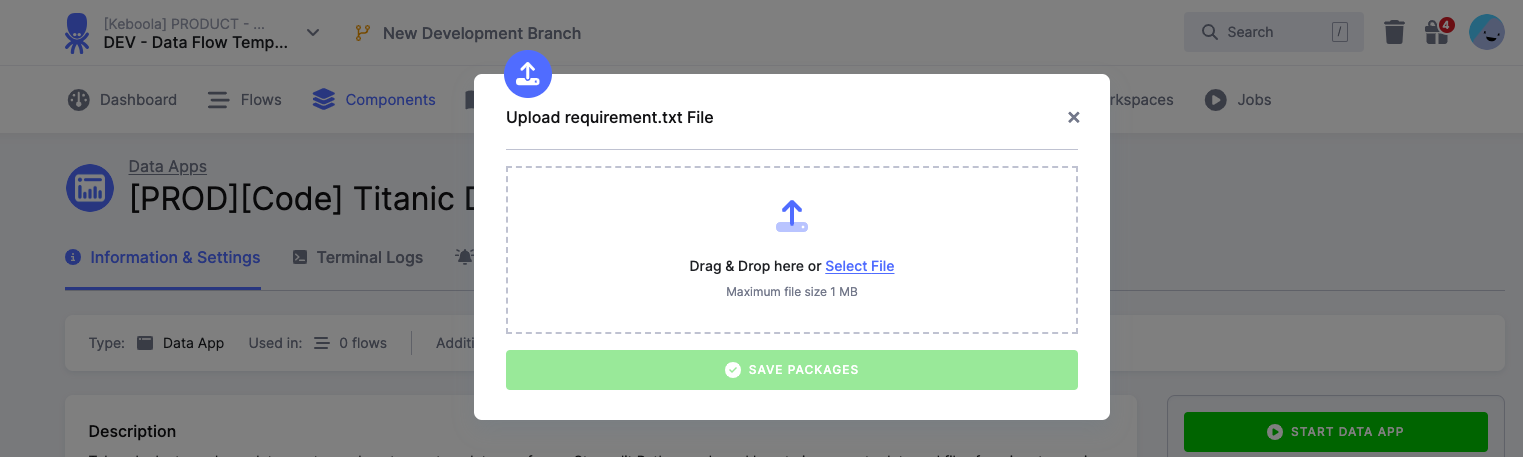
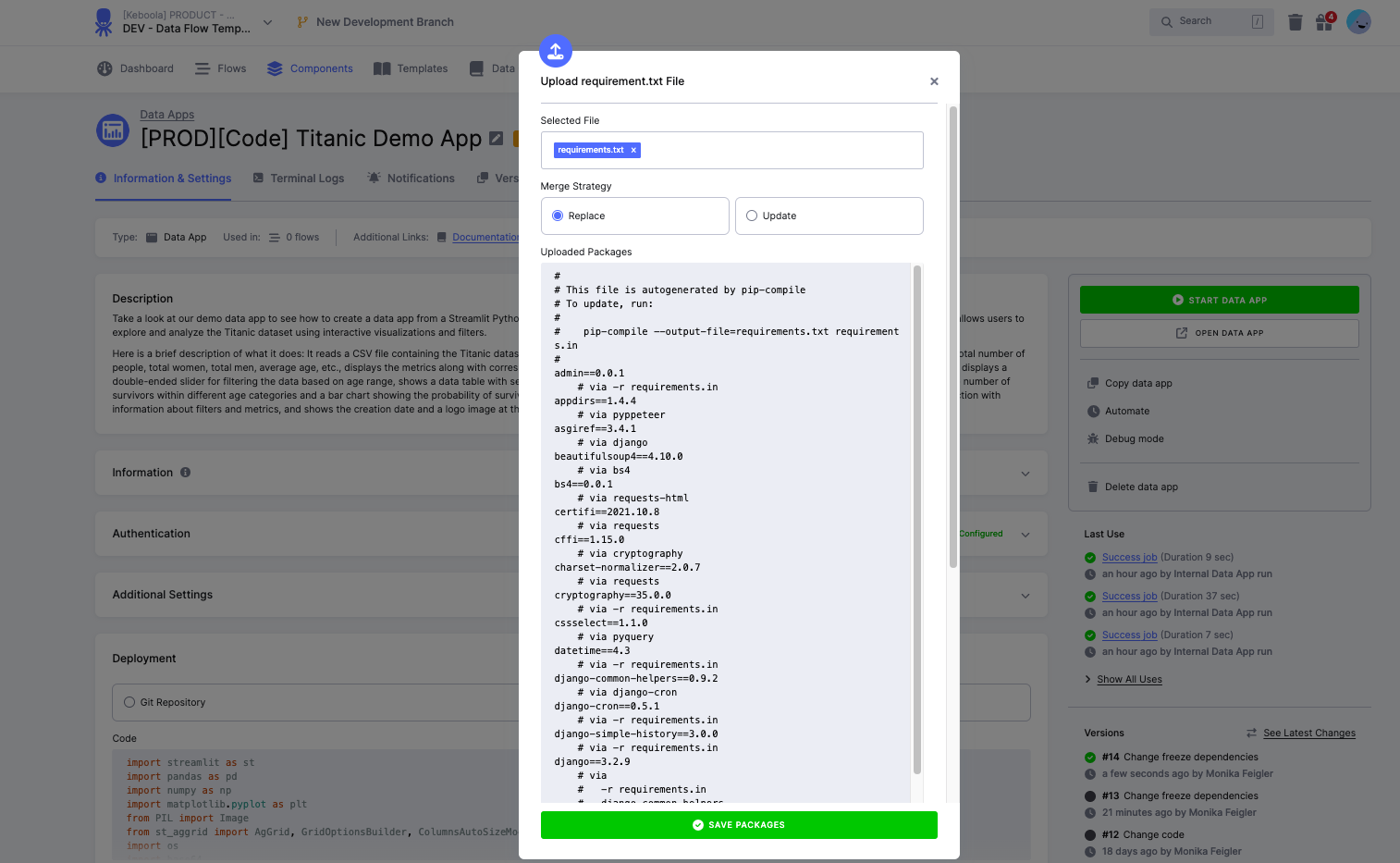
You can also update requirements.txt in the UI:
Important notes
Section titled “Important notes”- If a package has a specific version defined, that exact version will be installed
- If no version is specified, the latest version will be installed
- You can edit the requirements.txt content directly in the UI before uploading if needed
2. Enable version freezing
Section titled “2. Enable version freezing”After uploading your requirements.txt:
- Toggle the “Freeze versions” option in the UI
- Click “Start App” to propagate this change

This action will:
- Execute a pip freeze command in the app
- Store the frozen dependencies in the app state
- Use these frozen versions for future redeploys and app wake-ups
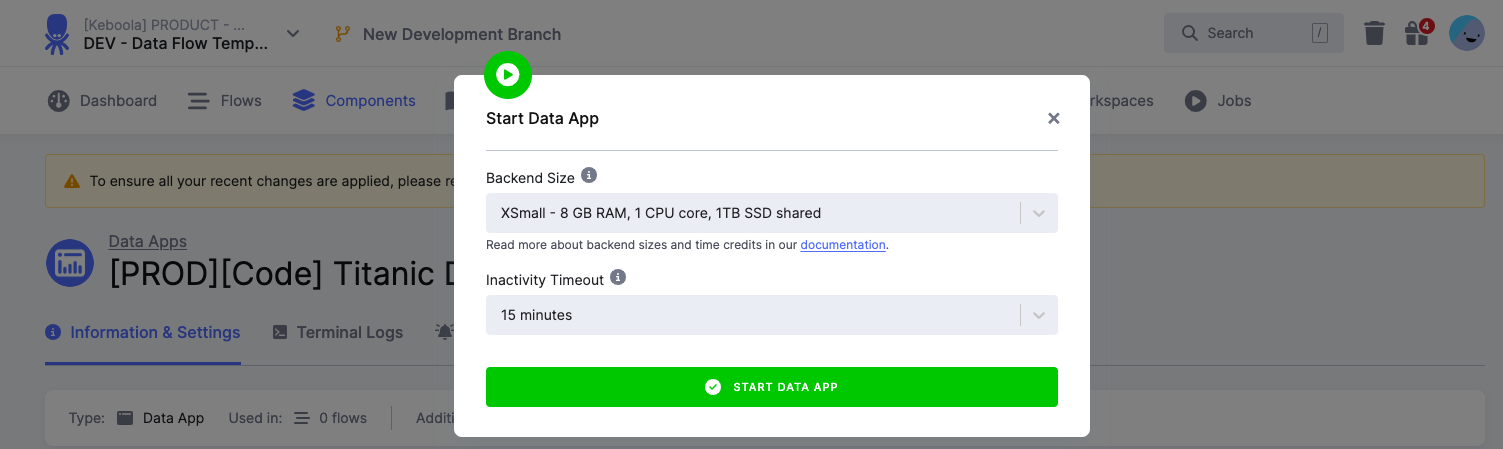
3. Updating package dependencies
Section titled “3. Updating package dependencies”To update the requirements for your app:
- Start the app
- Enable the “Update packages dependencies” toggle
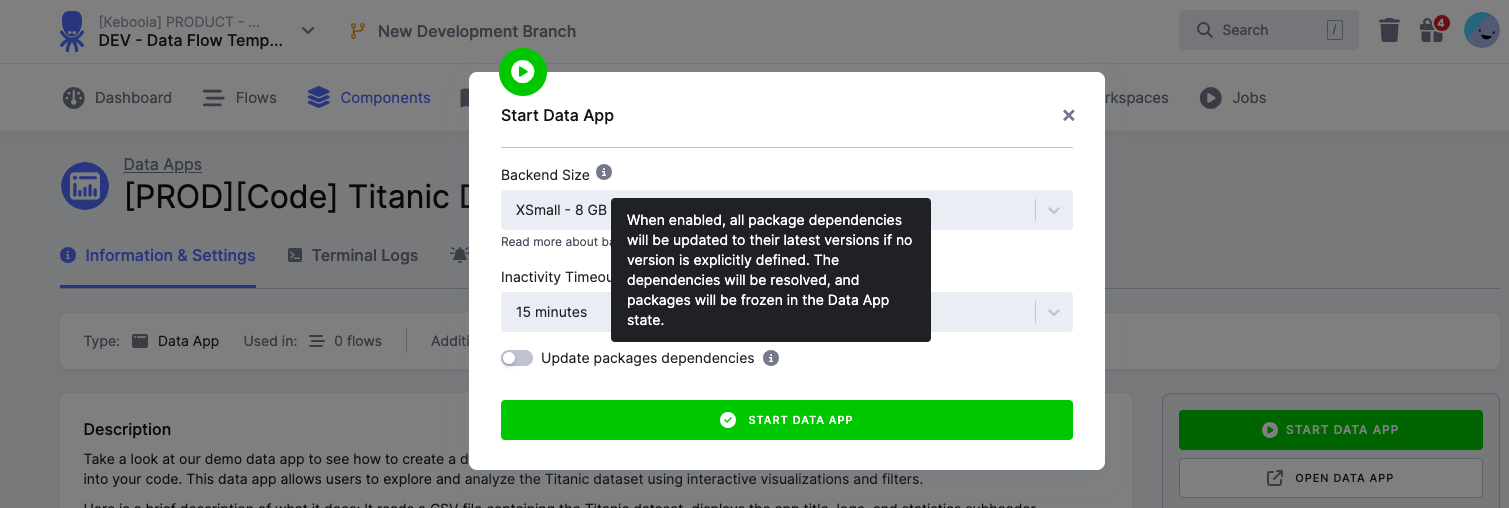
When this option is enabled:
- All package dependencies will be updated to their latest versions (if no version is explicitly defined)
- The dependencies will be resolved automatically
- The new package versions will be frozen in the app state
Git repository deployment
Section titled “Git repository deployment”This path explains how to lock package versions in Streamlit applications deployed from a Git repository in the Keboola platform.
Follow this tutorial to package a simple Python project, set up the required files and structure, build the package, and upload it to the Python Package Index. For information on installing dependencies, refer to the Streamlit documentation.
How to lock package versions
Section titled “How to lock package versions”To ensure your Streamlit app runs reliably in Keboola, follow these steps to lock package versions:
Set up a virtual environment
Section titled “Set up a virtual environment”Create and activate a Python virtual environment to isolate your app’s dependencies:
python3 -m venv venvsource venv/bin/activate # Linux/macOSvenv\Scripts\activate # WindowsInstall required packages
Section titled “Install required packages”Install the necessary packages for your Streamlit app:
pip install streamlit pandas numpyGenerate requirements.txt
Section titled “Generate requirements.txt”Generate a requirements.txt file to lock the versions of all installed packages:
pip freeze > requirements.txtThis file lists all installed packages along with their specific versions. It ensures consistent package versions across environments (development and production) and prevents dependency conflicts.
Example requirements.txt for a Streamlit app
Section titled “Example requirements.txt for a Streamlit app”Below is an example of the shape of a locked requirements.txt for a Streamlit app in Keboola. The versions shown are illustrative — pin the current versions your app actually uses (see the backend versions for what ships pre-installed):
streamlit==1.24.0pandas==1.3.5numpy==1.21.6plotly==5.20.0matplotlib==3.7.2requests==2.31.0protobuf==3.19.6validators==0.20.1pydeck==0.8.1b0watchdog==3.0.0Best practices
Section titled “Best practices”These apply to both deployment methods:
- Minimal dependencies: include only the packages your app actually needs.
- Update regularly: periodically review and update dependencies, testing in a development environment before updating production.
- Test locally: verify the app works with the locked versions locally before deploying to Keboola.
- Match environments: use the same Python version locally as Keboola to prevent version mismatches.
- Document: keep track of why specific versions are pinned to help future maintenance.